
Your dashboard explained
1.0×
Tip: double-click or double-tap any word to read from thereThe dashboard is your home page as a member. Here is what every widget does and where the useful shortcuts live.
When you sign in to the app you land on the dashboard. It gathers everything that matters for the day, organised into five tabs across the top, with quick shortcuts down the sidebar.
The five tabs
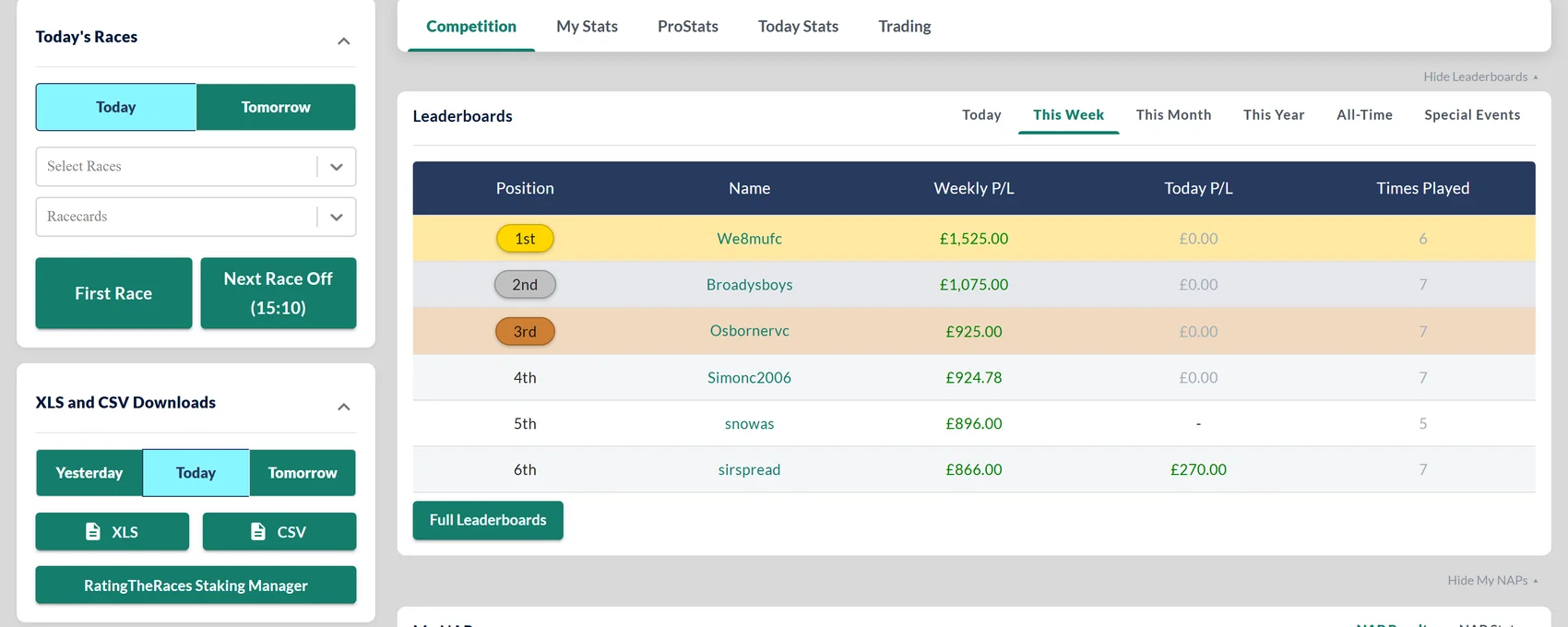
The dashboard is organised into tabs across the top, and it opens on Competition:
- Competition: the live NAP Competition leaderboards (opening on This Week, with Today/Month/Year/All-Time tabs, refreshing every ten minutes and highlighting your row), your own NAPs, results and scores, Most Selected, the horses most picked today with the Free and Premium split, and Today's NAP Entries, the public record of everyone's picks for the day.
- My Stats: your My NagMe's (tracked horses running today or tomorrow) and your own selection stats. Both My NagMe's and Liam's Trackers now have a Yesterday tab showing how the runners actually got on: the finishing position on a medal colour where it placed, the SP and how far it was beaten, with PU and F codes where they apply and the Exchange SP on the hover. A race that has not been settled yet reads Awaiting result, and a horse taken out reads NR.
- ProStats: Today's Qualifiers, the runners that match your saved ProStats systems. Professional.
- Today Stats: the day's strongest angles: Strongest Ratings, LTO Stats, Last Time Out Winners, One Runner Stats, the Last Winning Mark card, Today's Filters and Runner Search. Premium and Pro (some are Pro-only).
- Trading: Movers & Shakers, the live market steamers and drifters. Premium and Pro.
Sections can be collapsed to tidy the view, and several carry a Yesterday / Today / Tomorrow toggle so you can look back or ahead.
The sidebar
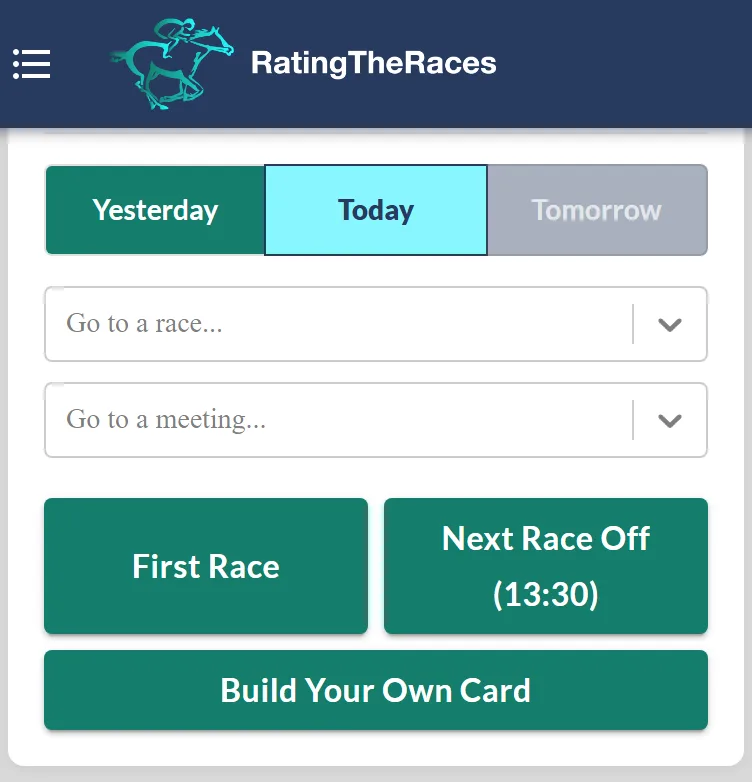
- Today's Races, jump to any racecard, the first race (always free to view) or the next race off. Yesterday / Today / Tomorrow tabs move the whole panel, so you can flick back to yesterday's cards for form study. Premium and Professional members also get Build Your Own Card here, which narrows the day to the kinds of race you bet.
- RatingTheRaces Updates and Analysis, the latest videos when new ones are out.
- Early Ratings, links to upcoming big-meeting ratings published ahead of time, a Professional benefit.
- XLS and CSV Downloads, the Full Ratings and Race Type Version files for yesterday, today or tomorrow (Premium and Pro, see Download the ratings), plus the free RatingTheRaces Staking Manager spreadsheet for every member.
- Free NAP Competition Details, the weekly and monthly prizes and the competition rules.
Make it your starting point
A good morning routine: check My NagMe's for today's runners, glance at the leaderboard, then head into the ratings via Today's Races. New to the site? Start with Your first 5 minutes.
Was this article helpful?