
Managing your NagMe list
Adding a horse to NagMe is just the start. The My NagMes page lets you keep notes, track form and P/L since you added it, and tidy the list automatically.
If you're new to NagMe, start with How to add a horse to your NagMe. This article covers the management page, My NagMes, reached via the All My NagMe's button on your dashboard.
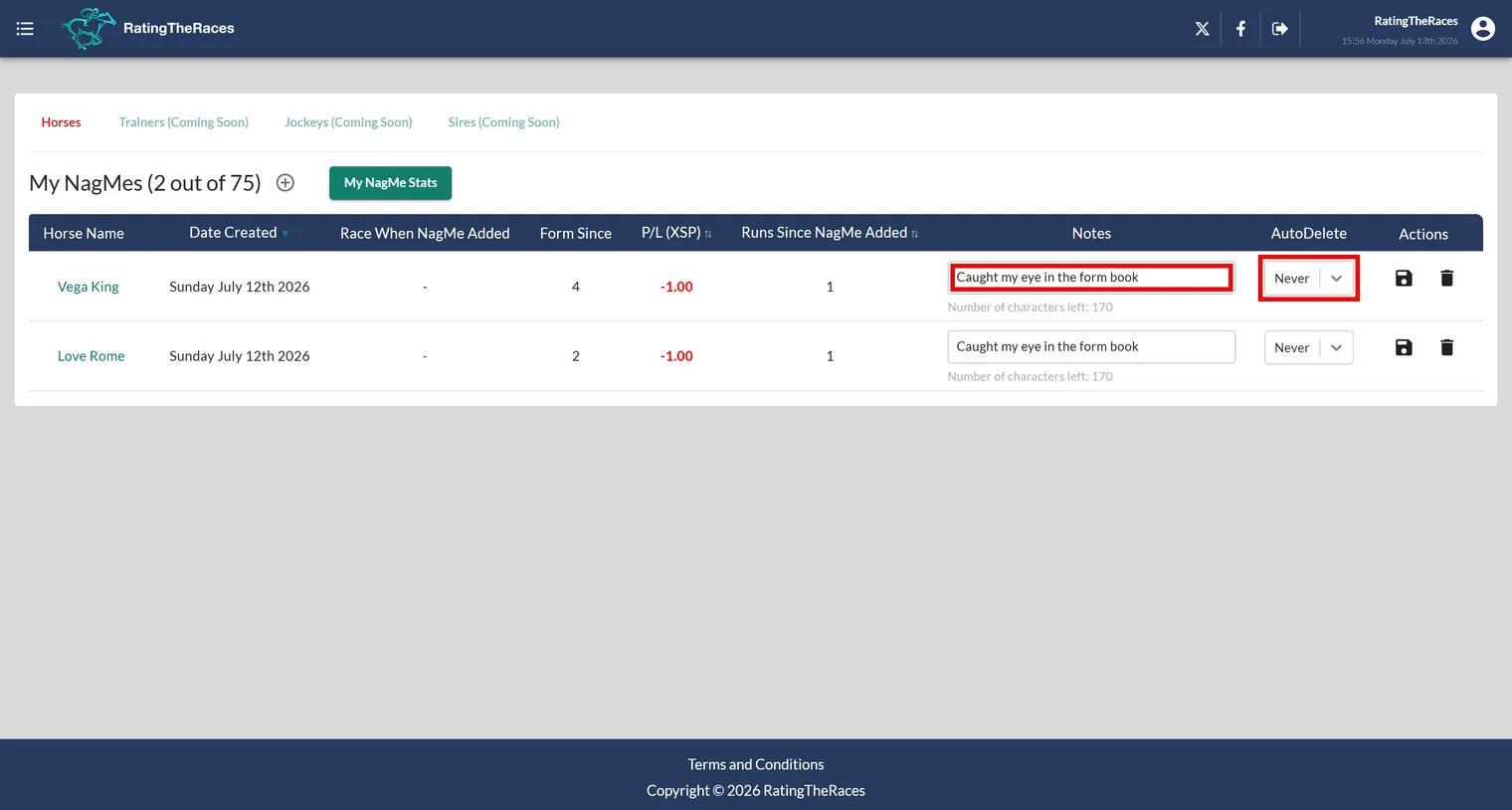
What each row tells you
For every horse on your list you'll see when you added it and the race you were looking at when you did, plus, so you can judge whether it's still earning its place:
- Form Since, the horse's finishing positions in every run since you added it.
- P/L (XSP), your notional profit or loss if you'd backed it each run at the exchange starting price.
- Runs Since NagMe Added, how many chances it's had.
Form Since and P/L are part of the extended data for Premium and Pro members.
Notes
Every horse has a notes box (up to 200 characters). Write down why you added it, "wants soft ground, step up to 2 miles", and future you will thank present you when the alert email arrives. Click the save icon after editing.
You don't have to type a note either: tap Dictate beside the note box and speak it instead. The button turns red while it listens and the words appear as you talk. It uses your browser's own speech recognition, so it's there in Chrome, Edge and Safari but not Firefox.
Auto-delete
The Auto-Delete After control clears a horse off your list for you, and it has two boxes. Races removes it after that many more runs; Wins removes it after that many wins. Each takes any number from 1 to 100, and a blank box means never. Set both and whichever comes first does the job. Ideal for "give it two more runs" horses, with no manual tidying up.
Removing horses
Use the delete icon to remove a horse any time. And every NagMe results email has a Remove from my NagMe button under each horse, so you can drop one straight from your inbox, just that horse, nothing else.
List limits
Free members can track up to 30 horses, Premium 50 and Professional 75. The page heading shows where you stand, for example My NagMes (12 out of 50).
Was this article helpful?