
Your member profile, achievements and badges
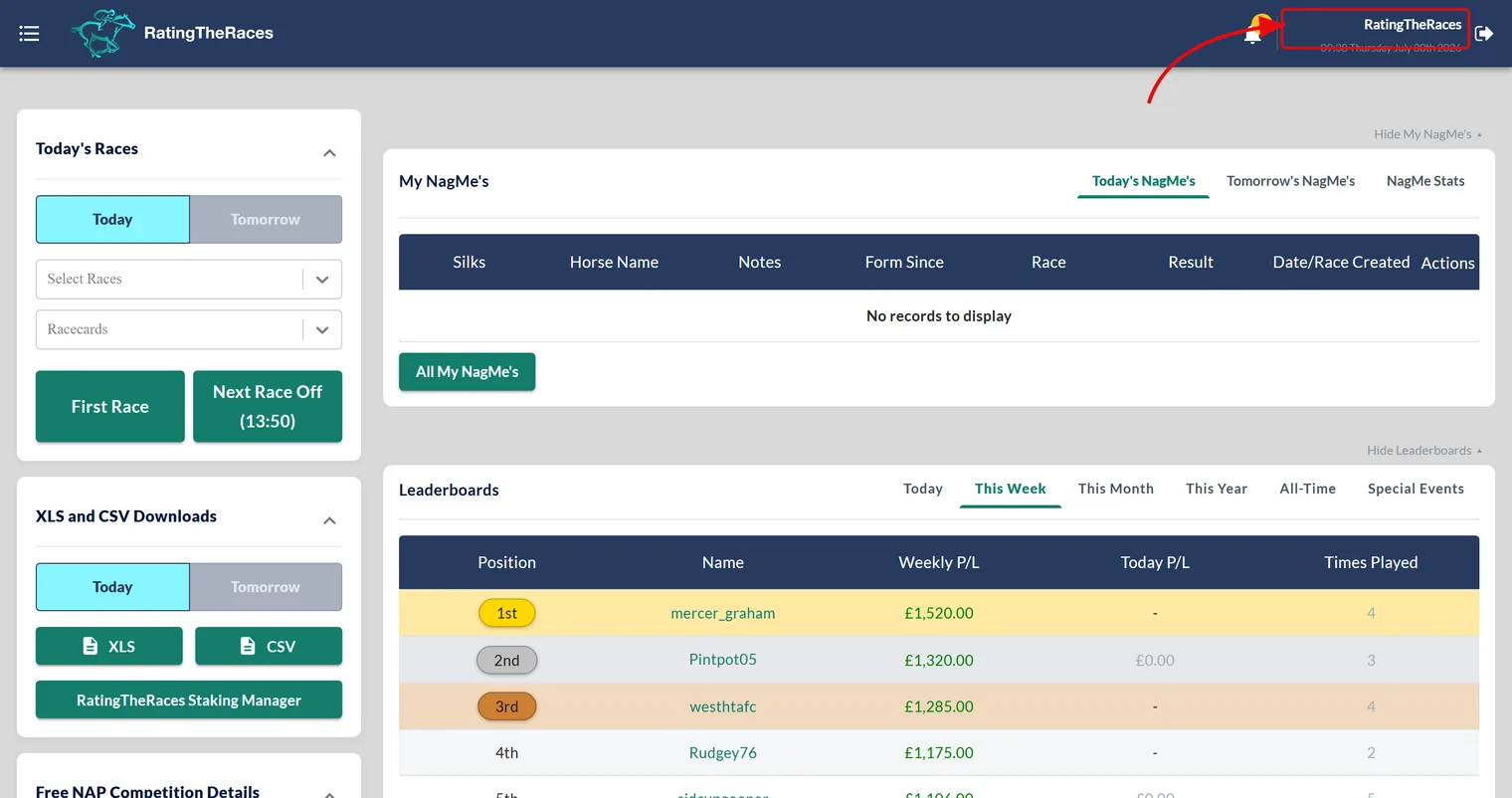
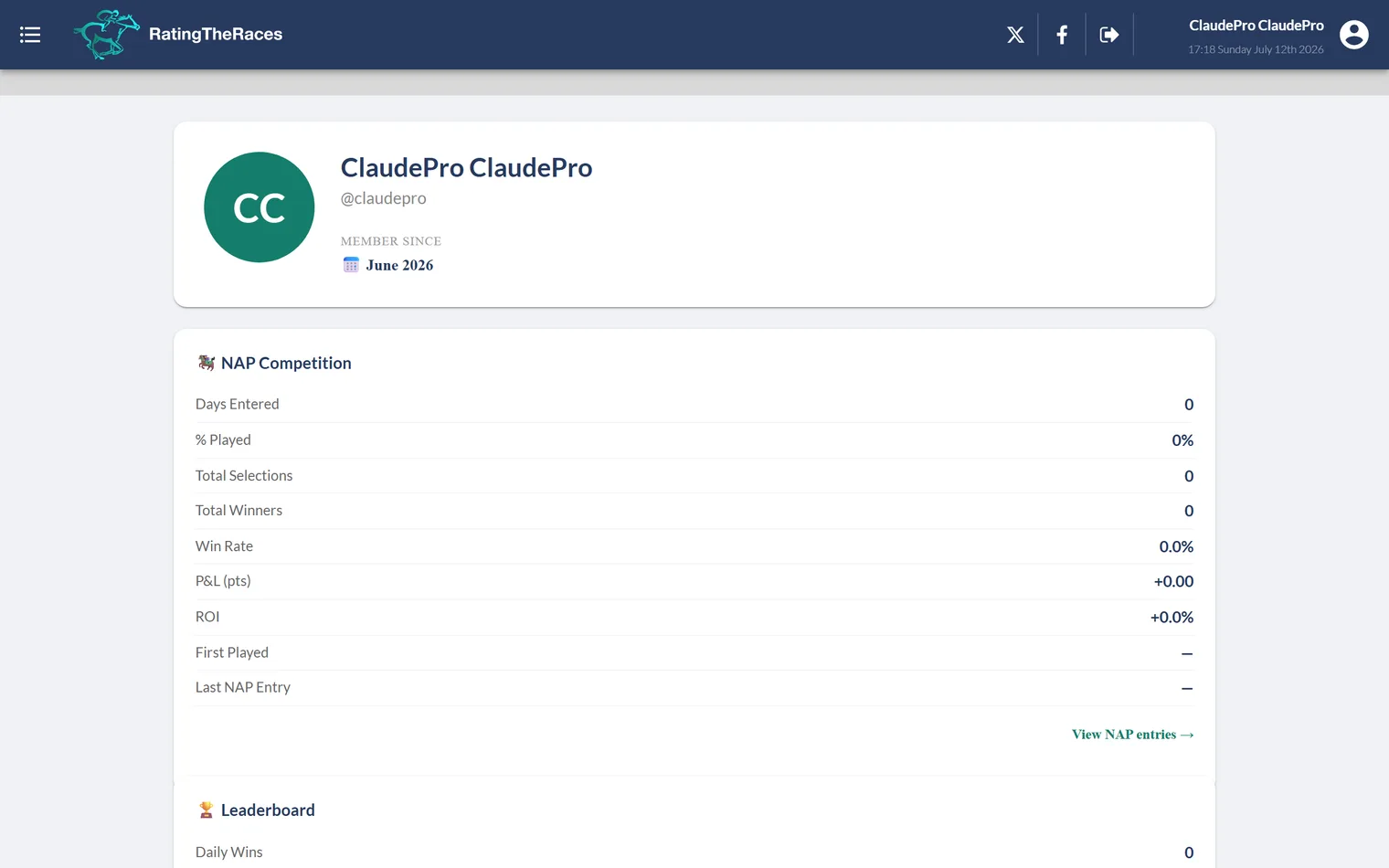
Click your name in the top right to open your profile. It's private to you: your racing record, your achievement badges, and the cards for your billing and email settings.
Every member has a profile page. It's your private home base for your account and your racing record, visible only to you, so it's worth making it yours.
How to find your profile
It's the same from anywhere on the site, the dashboard, the ratings, any page: just click your name in the top right hand corner.
What's on your profile
Editing your details
Open your profile (click your name in the top right) and press Edit Profile. You can set:
- Display Name, how you appear on leaderboards and your profile. It needs to be 2 to 40 characters and cannot be another member's name or username, or anything posing as RatingTheRaces or our staff. If a name is refused we say which rule it fell foul of rather than just rejecting it. Leaving your name alone and editing the rest of your profile is always fine.
- About, up to 500 characters on your racing story.
- Favourite Horse and Favourite Race, shown as badges under your name.
If you've connected your X account, your handle appears here too, linking to your X profile.
Your record, in numbers
Three cards total up your history:
- NAP Competition: days entered, winners, win rate, P/L and ROI, plus when you first played.
- Leaderboard: your daily, weekly and monthly wins and your best-ever finishing positions.
- Selections: winners, P/L and ROI from your saved selections.
Achievements
The badge wall tracks milestones as you play: entering your first NAP Competition, your first winner, your first double and treble, topping a daily leaderboard, winning a weekly or monthly competition, saving your first NagMe (and having a NagMe win), saving a ProStats filter, and landing winners from your selection groups. Earned badges show the date you got them, the rest sit locked as a to-do list.
Who can see your profile
Your profile is private to you. Other members can't open it, so your record, your stats and your details are yours alone (our support team can see it too, but only when they're helping you with something). Your display name still appears on the leaderboards when you place, but your profile page itself isn't public.
That's also where your account controls live: the Membership card (your plan, renewal date, cancel and payment buttons) and the Email Preferences card, both just for you.
Was this article helpful?