
The sections under the racecard
Under every racecard sits a stack of sections. Each one starts closed, as a single line with its answer for that race, so you can read them all at a glance and open only the one you want.
Under the ratings grid on every race sits a stack of sections: Worth Knowing, Last Year's Winner, Pace & Draw, the Ratings Benchmark and, on the bigger races, Trends. They used to open out one under another, which made a busy card. Now each one starts closed, as one headline line that already carries its answer for the race.
Headlines first

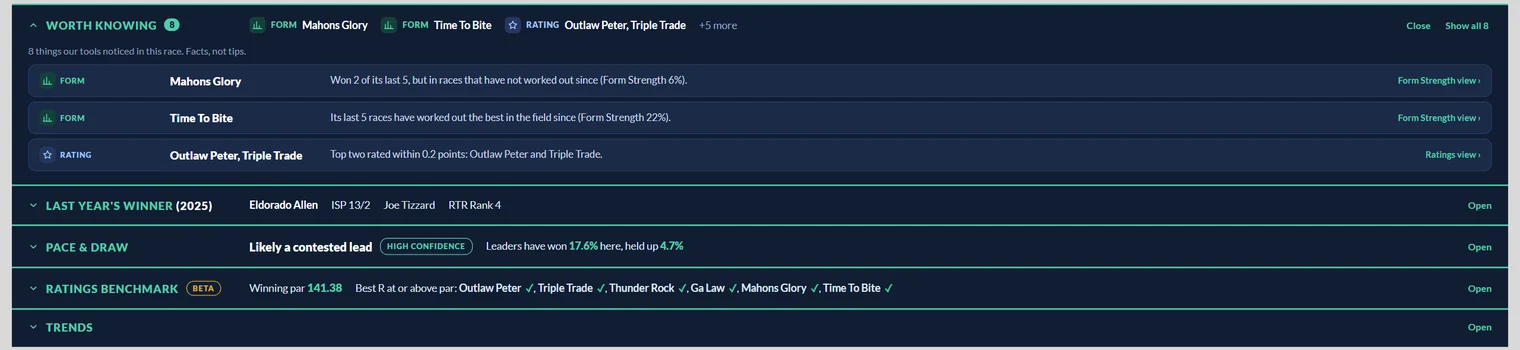
Each line is the section's name, what it says about this race, and Open on the right:
- Worth Knowing: how many facts our tools noticed, the first few with the horse each one is about, and how many more there are. See Worth Knowing.
- Last Year's Winner: the horse that won this race last year, its ISP, its trainer and the RTR Rank we gave it that day. See Last Year's Winner.
- Pace & Draw: the verdict on how the race should be run, such as Likely a contested lead, how confident we are, and how leaders and hold up horses have fared over this course and trip. See Pace & Draw.
- Ratings Benchmark: the winning par for a race like this, and which of today's runners already have a Best R at or above it. See The Ratings Benchmark.
- Trends: what the recent winners of this race had in common, with today's runners checked against each trend. It is on Class 1 and Class 2 races only, and its line fills in when you open it. See Trends on the card.
- RTR Rank 1 ProStats: for Professional members, the trainer, jockey and sire record behind the Top Rated horse. See RTR Rank 1 ProStats under each race.
On one of the Season Notebook's own races, the Notebook panel takes the place of Trends in the stack.
Open one, the others close
Click anywhere on a headline to open it. The detail opens underneath and the headline stays as its title, with Close on the right.
Open a different section and the one you had open closes for you, so there is only ever one opened out and the card stays tidy. Close it again from its headline.
Whatever you leave open stays open under every race on the page, and it is remembered on that device for next time. Leave Pace & Draw open, for example, and every card you look at opens with the pace showing.
Switching sections on and off
Which sections appear is up to you. Click Tools above the ratings and look under Below the Ratings:
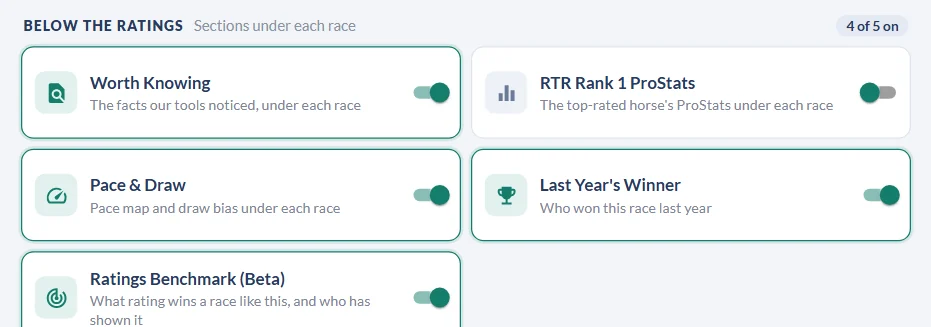
- Worth Knowing and Last Year's Winner start switched off. Turn them on here and they join the stack.
- Pace & Draw, the Ratings Benchmark and RTR Rank 1 ProStats start switched on.
- Trends has no switch: it is there on every Class 1 and Class 2 race.
Changes apply straight away. See The Ratings Tools menu for every other switch in the panel.
No race last year, no empty section
When a race was not run last year, there is nothing for Last Year's Winner to show, so the section is left out altogether rather than sitting there empty.
Non-runners greyed out
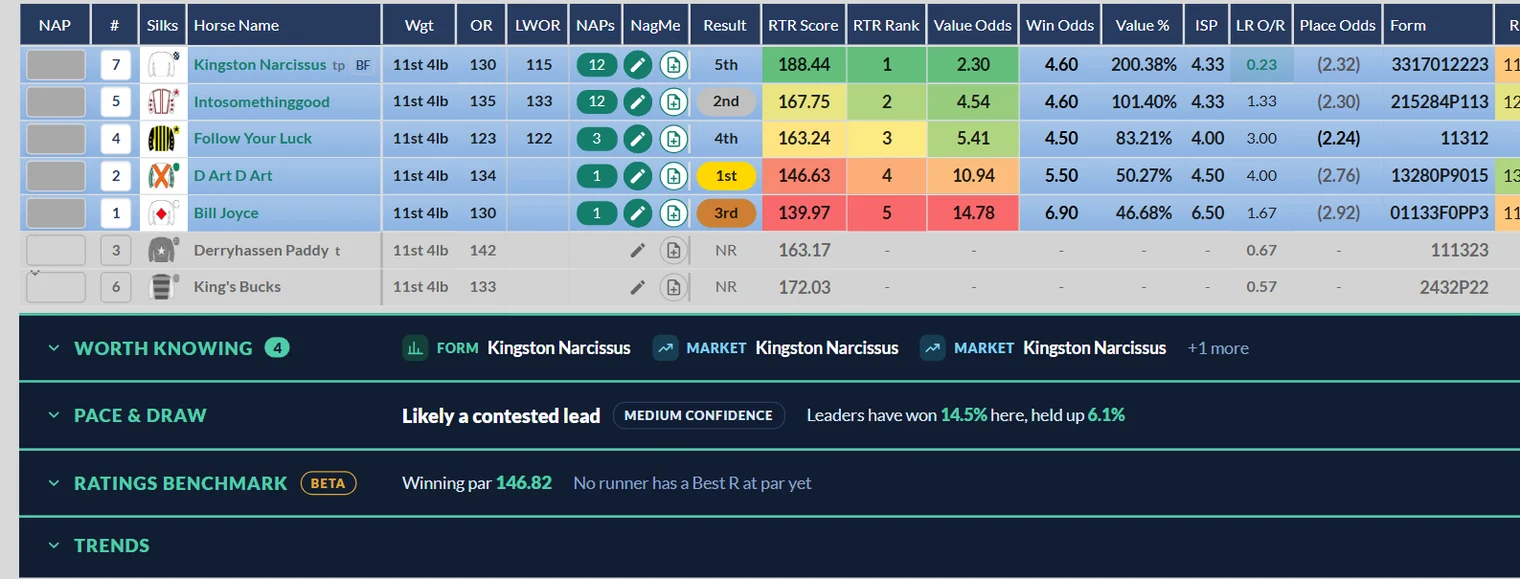
If you keep non-runners on the card (switch on Show Non-Runners in Tools), their rows are now greyed out rather than struck through. You can still read the name, silks and figures, and they cannot be mistaken for runners.
Who sees what
| Section | Who it is for | On which races |
|---|---|---|
| Worth Knowing | Premium and Professional | Every race, once switched on |
| Last Year's Winner | Premium and Professional | Races that were run last year, once switched on |
| Pace & Draw | Premium and Professional, and everyone on the day's free race | Every race |
| Ratings Benchmark (Beta) | Professional | Every race |
| RTR Rank 1 ProStats | Professional | Every race |
| Trends | Premium and Professional | Class 1 and Class 2 races |
Was this article helpful?