
What is ProStats?
ProStats is our system builder. It searches the entire RatingTheRaces database to help you find trends and angles, then build, save and run systems to find daily qualifiers.
ProStats is our system builder, and it's a Professional feature. Where TipStats only filters the NAPs, selections and NagMe's you've submitted, ProStats searches the entire RatingTheRaces database (over 150,000 races).
That means you can quickly find trends and angles, then build, save and run systems to pull out the day's qualifiers, ready to download or plug into a betting bot.
Here's a video explaining further:
ProStats vs TipStats
The two analysis tools answer different questions:
| Tool | Looks at | Best for |
|---|---|---|
| TipStats | Only the selections you've submitted | Learning your own strengths and weaknesses |
| ProStats | The entire 150,000+ race database | Discovering brand-new profitable angles |
Many members use TipStats to learn about themselves and ProStats to find new edges. One filter worth knowing is the R1 Rank, which ranks each field by its most recent run score. You can also group your results by RTR Score to compare rating bands, and once an angle stands out, use the Horse Database to pull out the horses that fit it today.
Opening a ready-made system from a link
Our blog posts often set out a system as a list of filters. Since 28 September 2026 those posts can carry a button that simply builds it for you: click it and ProStats opens with every filter already in place, as chips along the top, so you can run it, change it or save it without typing anything in.
You do not have to do anything to make this work, and there is nothing to set up. The link is an ordinary ProStats address with a ?preset= on the end, so you can bookmark it or send it to someone and it will open the same system for them.
Two things worth knowing:
- The preset replaces the default filter rather than adding to it, so what you see on arrival is the system as the post described it, nothing extra.
- Nothing is saved automatically. If you want to keep a system you arrived at by link, press Save filterset as you would with any system you built yourself.
Adding qualifiers to your selections
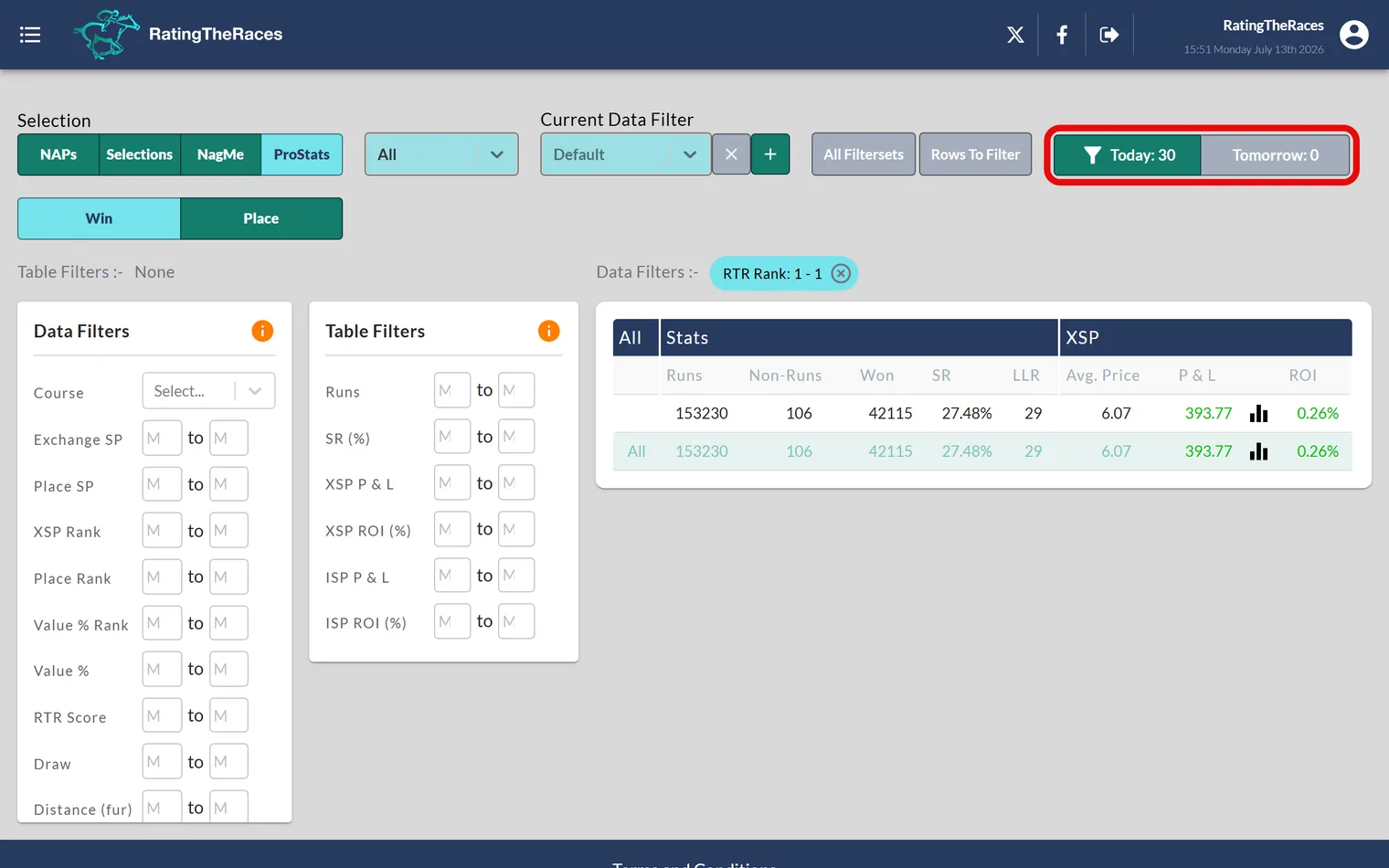
Once a system looks good, you can put its qualifiers straight onto your selections. The Today and Tomorrow buttons show how many runners qualify for your current filters; click one and choose how to add them:
- Replace: swap your existing selections for that day for the system's qualifiers.
- Merge: add the qualifiers to the selections you already have.
You stay on ProStats afterwards, so you can apply several systems back to back. Every horse added this way carries an Added Via label in your selections naming the system that put it there, so you always know which angle it came from. Prefer a file? Download selections exports the qualifiers instead.
Was this article helpful?