
Form study: horse, jockey, trainer and sire history
Every name in a racecard is a door into the form book. Click it to see that horse, jockey, trainer or sire's full race history.
Want to dig into a runner before you back it? RatingTheRaces has a built-in form book. Click the name of any horse, jockey, trainer or sire in a racecard and their history page opens in a new tab, so you never lose your place in the ratings.
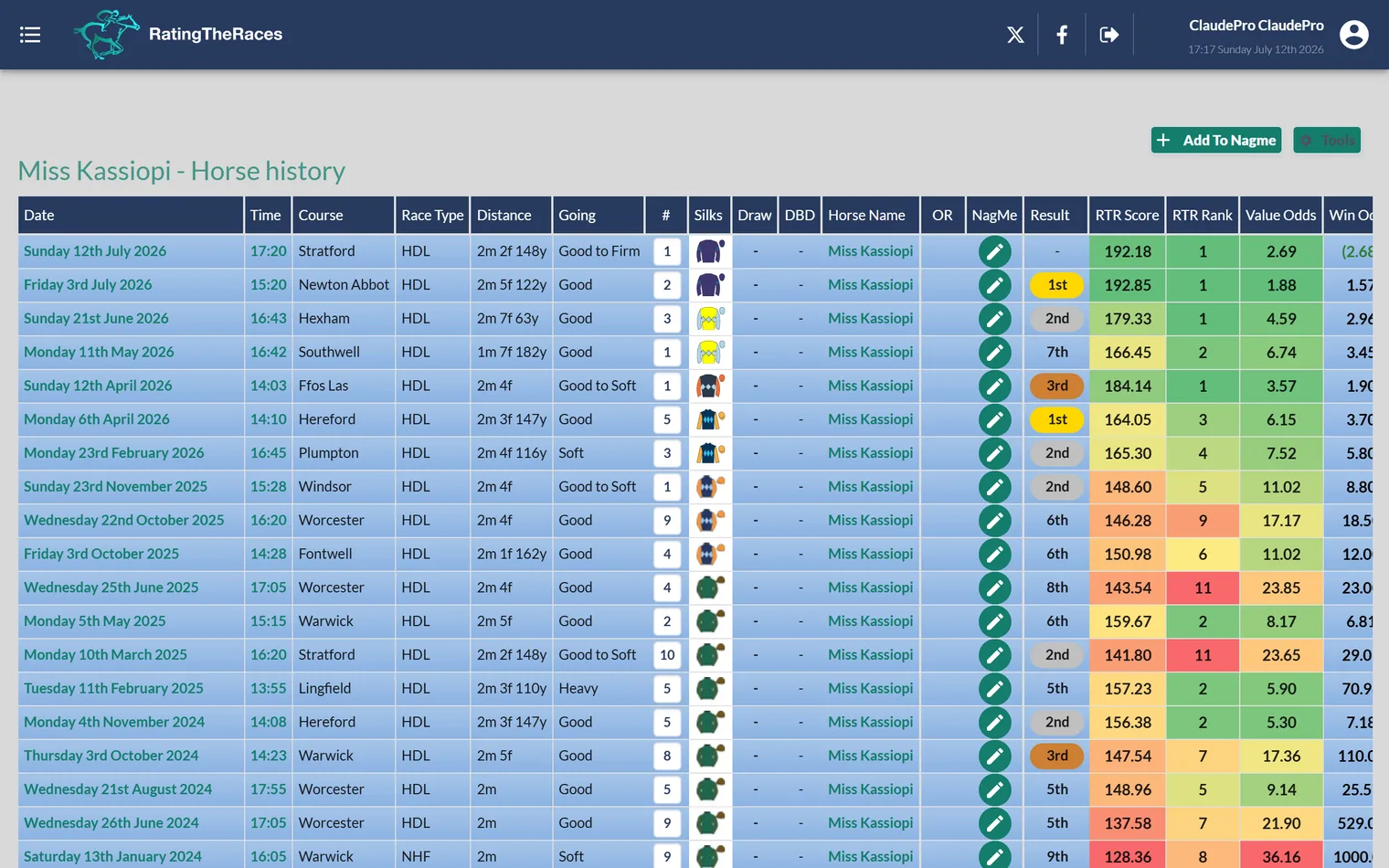
What you'll see
The history page is laid out exactly like a racecard, one row per past run, with the same columns you use every day: finishing position, ISP, RTR figures, age, sex and the rest. That means no new layout to learn, you read old races the same way you read today's.
- Use the settings gear to choose which columns show, just like the main ratings. See Customising your ratings view.
- Long histories are split into pages, and the table scrolls sideways on smaller screens.
- The full ratings columns follow your membership, Premium and Pro members see the complete data on past runs, Free members the basic set.
How good were those races?
A horse's history page doesn't just show how it ran, it shows how good those races were:
- Beaten By / Beating: the winner that beat it, or the runner-up it beat, each a link to that horse. See Beaten By / Beating.
- Race Win SR and Race Place SR: how often that race's runners have won and placed since, each with an (Excl) version that leaves this horse out. See Race Win SR and Race Place SR.
- ORC +/-: how far the handicapper has moved that race's runners since, again with an (Excl) version. See ORC +/-.
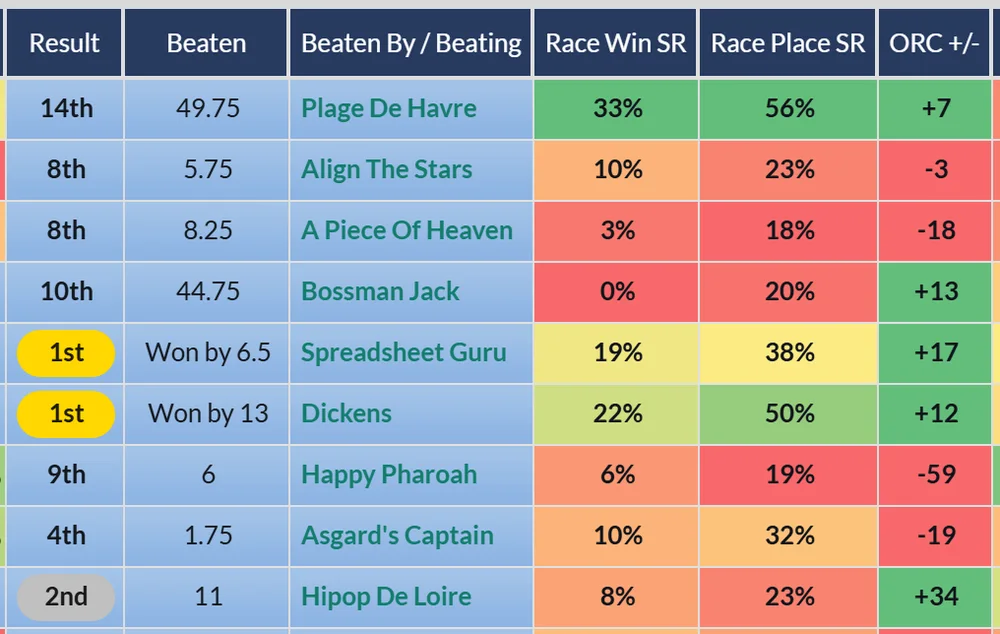
Beaten By / Beating is there for every member, on jockey, trainer and sire pages too. The other three are on horse pages for Premium and Professional members. A page you looked at recently can take a few hours to show the new columns while it refreshes.
Add a horse to NagMe while you study
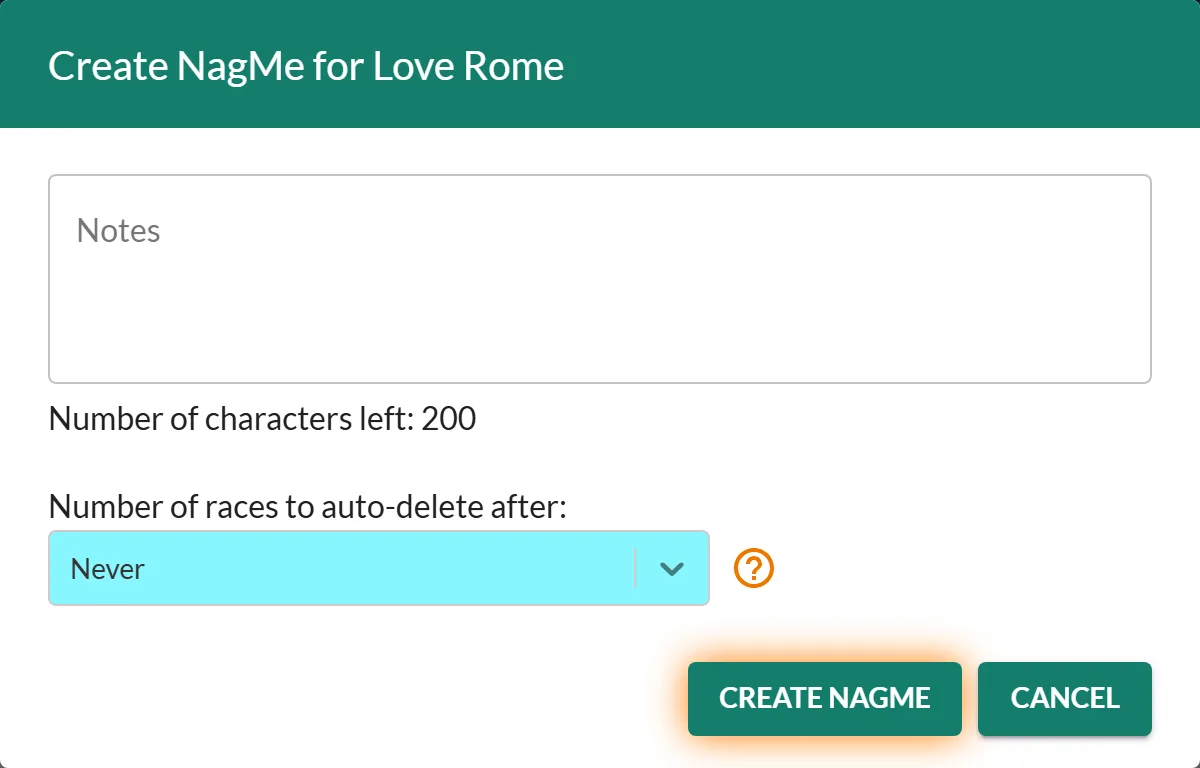
On a horse's history page there's an Add To Nagme button. If the form convinces you, click it, add an optional note about what you spotted, and we'll email you the evening before that horse next runs. See Managing your NagMe list.
A quick workflow
- Spot an interesting runner in today's ratings.
- Click its name, scan the history: does it handle the trip, the ground, the course?
- Check the trainer and jockey pages the same way for current form.
- Not ready to back it today? Add To Nagme and let us watch it for you.
Was this article helpful?