
WS, PS & WP views explained
RatingTheRaces offers three statistical views, WS for winner-based stats, PS for place-based stats, and WP for average win-price reduction in running.
We know some of you like place betting and others like trading in running, so we've built three statistical views you can switch between. Each one re-bases the strike-rate stats on a different outcome. Choose your view in Tools on the ratings, under Stats View. If you flip between them a lot, switch on Quick Switch on the Toolbar in the same section and a WS / PS / WP switch sits next to the Tools button, one click away.
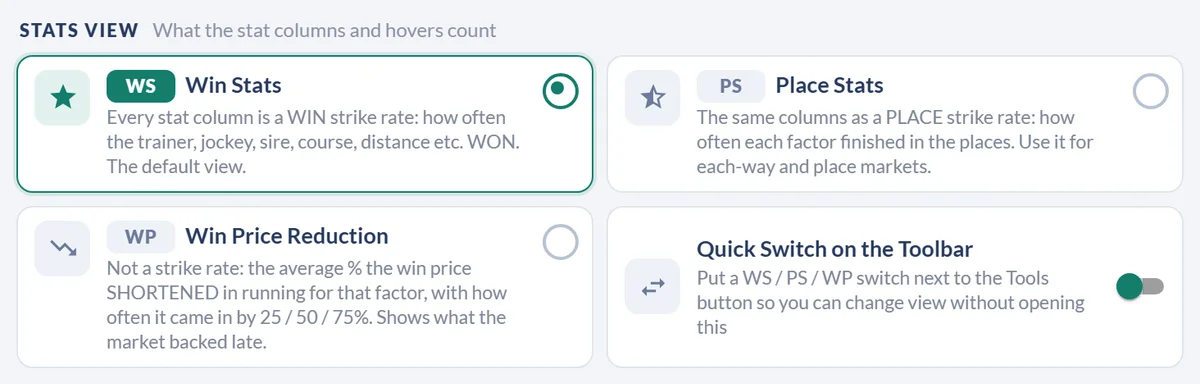

| View | Stands for | Based on |
|---|---|---|
| WS | Win Stats | Winners only |
| PS | Place Stats | Placed horses only |
| WP | Win Price reduction | The average win-price reduction in running for each stat |
The video shows the older switcher that used to sit in the toolbar, but the three views work exactly the same way.
Percentages or the raw wins and runs
A member asked for this one. A strike rate on its own hides how much is behind it: 25% is a different proposition from 1 win in 4 than from 7 wins in 28. A second pill beside the WS / PS / WP switch flips every stat column between the percentage and the wins / runs it came from, so a thin sample gives itself away.
It reads P/R on Place Stats, and greys out on WP, which has no count behind it. You will also find it as a toggle in the Stats View section of Tools, and your choice is kept on that device.
It changes the display only. The heat colours and the column sorting still follow the percentage, so turning the counts on will not reshuffle the card underneath you.
Hiding the % sign
Another member suggestion, this one about reading speed. With Hide the % Sign on, a stat cell reads 25.00 instead of 25.00%, which takes a surprising amount of clutter out of a card full of them.
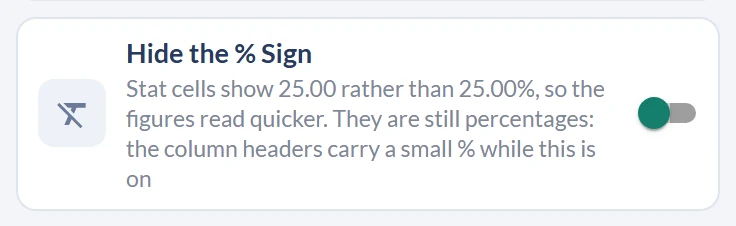
They are still percentages, and nothing about the numbers changes. Rather than repeat the sign in every cell, a single note sits by the view buttons to remind you what you are looking at. Find the switch in Tools, and it is remembered on that device.
Which view should you use?
Pick the view that matches how you bet:
- WS if you back horses to win.
- PS if you focus on the place markets.
- WP if you trade in running and care how far prices typically shorten.
Switching view changes which strike-rate stats the grid and the strike-rate hover show, so the same horse can look stronger or weaker depending on your angle. These sit alongside the core figures, see the ratings columns reference for every stat definition, and How to sort by different columns to re-rank the field within whichever view you've chosen.
Was this article helpful?