
Suggesting an idea
Got an idea to make RatingTheRaces better? Send it straight to the team from the menu, and we'll reply back the next time you log in.
A lot of what we build starts as a member's idea. If there's something you'd love us to add, or something that could work better, you can tell us in a couple of clicks.
Sending an idea
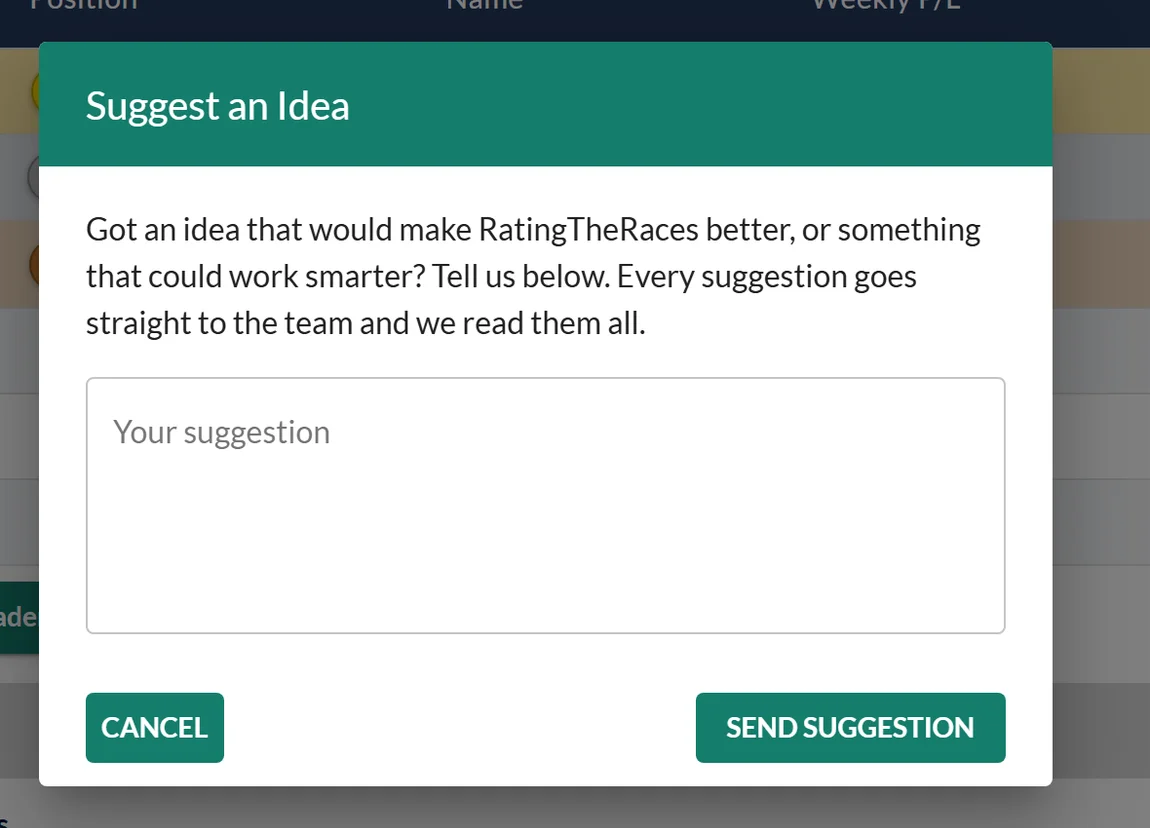
Open the menu (top left) and choose Suggest an Idea (the lightbulb). Type your idea into the box and hit Send Suggestion, it goes straight to the team.
Getting a reply
When we reply, two things happen:
- A note appears on your notification bell.
- The next time you log in, a "A Reply From The Team" popup shows you our reply alongside your original idea.
You don't just get a one-off answer, either. The popup has a Reply to this button, so you can write back and keep the conversation going. Replies come back to you in the app, so there's nothing to dig out of your inbox.
A message from Liam
The same thread works the other way. If Liam wants to ask you something, about an idea you raised or about how you are finding something, it arrives in the same popup headed A Message From Liam rather than quoting an idea back at you. Reply to it exactly as you would your own suggestion.
Was this article helpful?