
Joining a member competition
Member competitions are leagues that members run for their friends. All you need to play is the invite link and a free RatingTheRaces account.
A member competition is a league that one of our members runs for their mates, their club or their followers. They set the rules, we keep the leaderboard and score every pick. If someone has sent you an invite link, this is everything you need to know to get playing.
Open the invite link
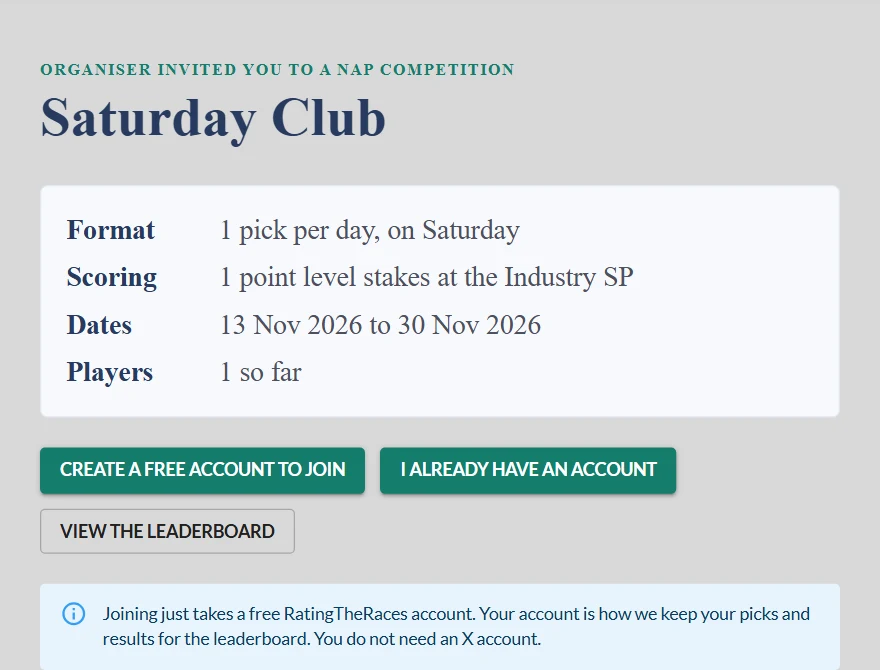
The link takes you to the competition's own page. It shows who invited you, the format and scoring, the dates, how many are playing so far and the full rules, written out from the organiser's settings, so you know exactly what you are signing up to.
On an own picks competition, once the next play day's racecards are out, the link goes straight to that day's first race instead, with a welcome from the competition. Everything else works the same.
Join with a free account
- Not signed in? Press Create a free account to join, or I already have an account to sign in. When you come back from signing up or signing in you are joined automatically, with no second click.
- Already signed in? Press Join this competition.
You do not need an X account to join, whether the competition is open or private. A free RatingTheRaces account is all it takes: it is how we keep your picks and results for the leaderboard. Only the person who runs a competition needs a linked X account (see Creating your own competition).
Once you've joined you land on the competition's leaderboard.
How you make your picks
What you do next depends on how the organiser set it up. The invite page and the Rules button always tell you which kind of competition it is.
Own picks. You make picks just for this competition, as many a day as the organiser chose (1, 2 or 3), on the days that count. On a play day, open the racecard and use the NAP column beside your horse. With 1 pick a day, a Submit your pick? box shows the horse, the price it will be settled at and the key rules. Press Submit my pick, and from that moment the pick is locked and cannot be changed. With 2 or 3 picks a day, each horse waits in its slot until you have chosen them all, then a review box opens and they go in together.
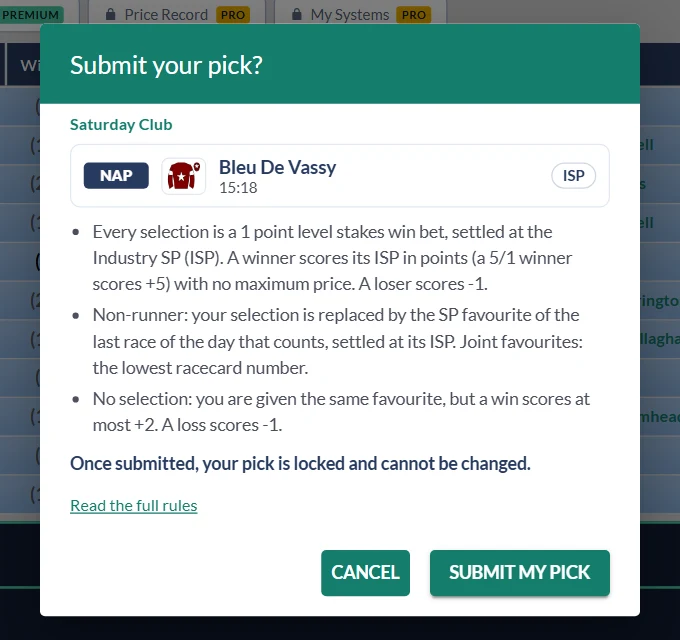
After you submit we ask if you'd like to enter the main NAP Competition with the same horse as your NAP. That's entirely up to you: No thanks leaves it out, Yes, enter me puts it in, and you choose your Next Best and 3rd Best from the racecard as normal.
A meeting or festival points competition works the same way, except you make a pick in every race at the meeting.
Your NAP Competition picks. Some competitions score the picks you already make in the main NAP Competition, so there is nothing extra to do: enter your NAP, NB and 3B as usual (see How do I play the NAP Competition?). Only picks that fit the competition count, so if it is Cheltenham only and just your NAP is at Cheltenham, just your NAP scores in it. Your entry slip warns you before you submit.
In more than one competition?
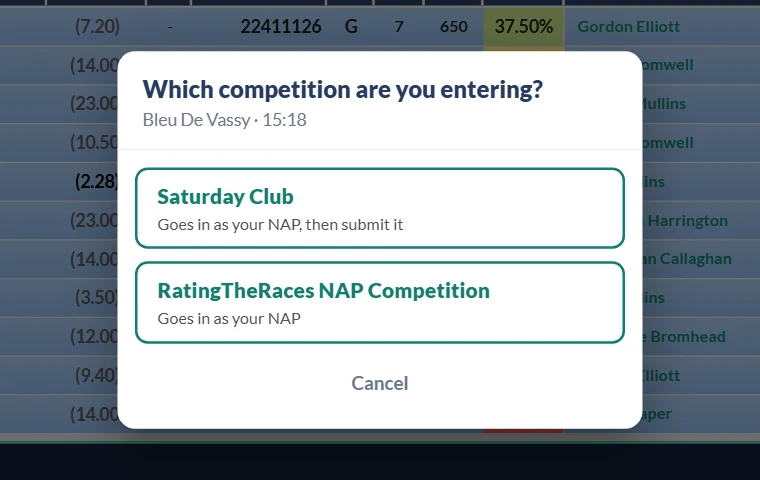
When there is more than one competition a horse could go into, clicking the NAP column asks Which competition are you entering? Each one is listed, including the main RatingTheRaces NAP Competition while your entry for that day is still open, with a line saying what happens if you choose it, such as Goes in as your NAP or Goes in as your NAP, then submit it. Choose one and carry on as normal. If there is only one place the horse can go, it doesn't ask.
Finding your competition again
Open Leaderboards and the Member Comps tab: every competition you are in is listed there, and the Active only switch hides the ones that have finished. On your dashboard, the leaderboard's Own Competitions tab gets you there too.
Each board has day-by-day arrows and a row of buttons:
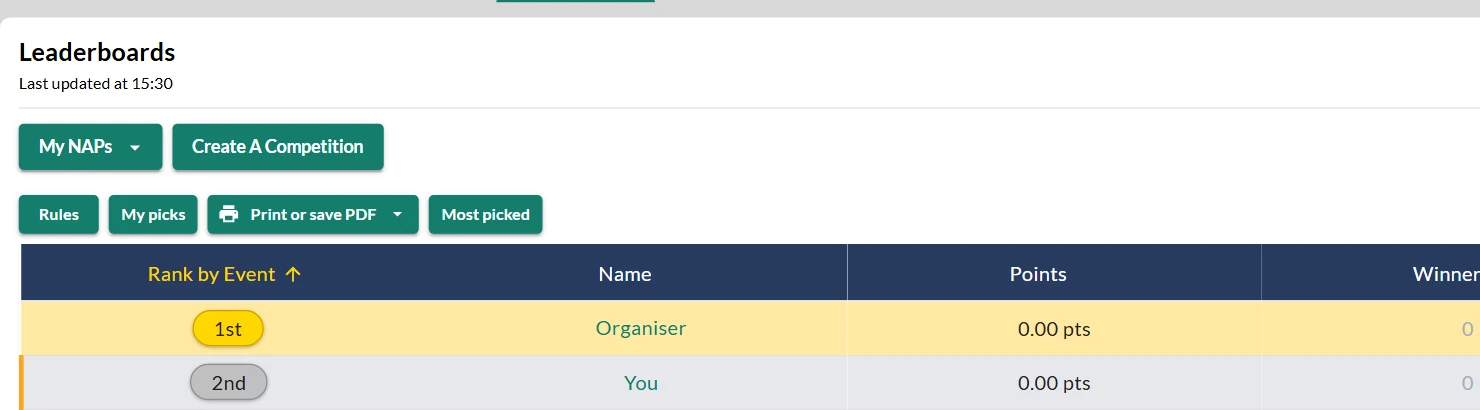
- Rules: the full rules, any time.
- My picks: every pick you've made in it, newest first, with how each one scored.
- Print or save PDF: the day's picks on one A4 page, on own picks and points competitions. It shows what the board shows you.
- Most picked: every horse picked on the day, how many players are on it and who, on the same competitions.
Depending on the organiser's settings, you may only see other players' picks once you've made your own. The organiser, and any deputies they appoint to help run it, can see every pick at any time.
Good to know
- You can be in 5 active competitions at once, counting ones you run and ones you've joined. If you are already at the limit, the invite page tells you to wait for one to finish and come back to the link.
- Joining can close. The organiser chooses whether joining closes at the off of the first or the last race on the competition's first day, or never. Once it has closed, the invite link tells you entries have closed.
- Joining late. If you join after some days have been played, the rules say how you start: usually the days you missed score 0, though some organisers count them as losers. You are never handed a favourite for a day you weren't there for.
- The organiser can remove a player, and a removed player cannot rejoin with the link.
Fancy running one yourself? See Creating your own competition.
Was this article helpful?