
Customising your ratings view & columns
Tailor the ratings to the columns you actually use. Open Tools, choose Select Columns, and toggle which columns are visible.
We know some of you like to focus on specific columns on the ratings and may want to hide others. You can do that from the Select Columns panel.
How to show or hide columns
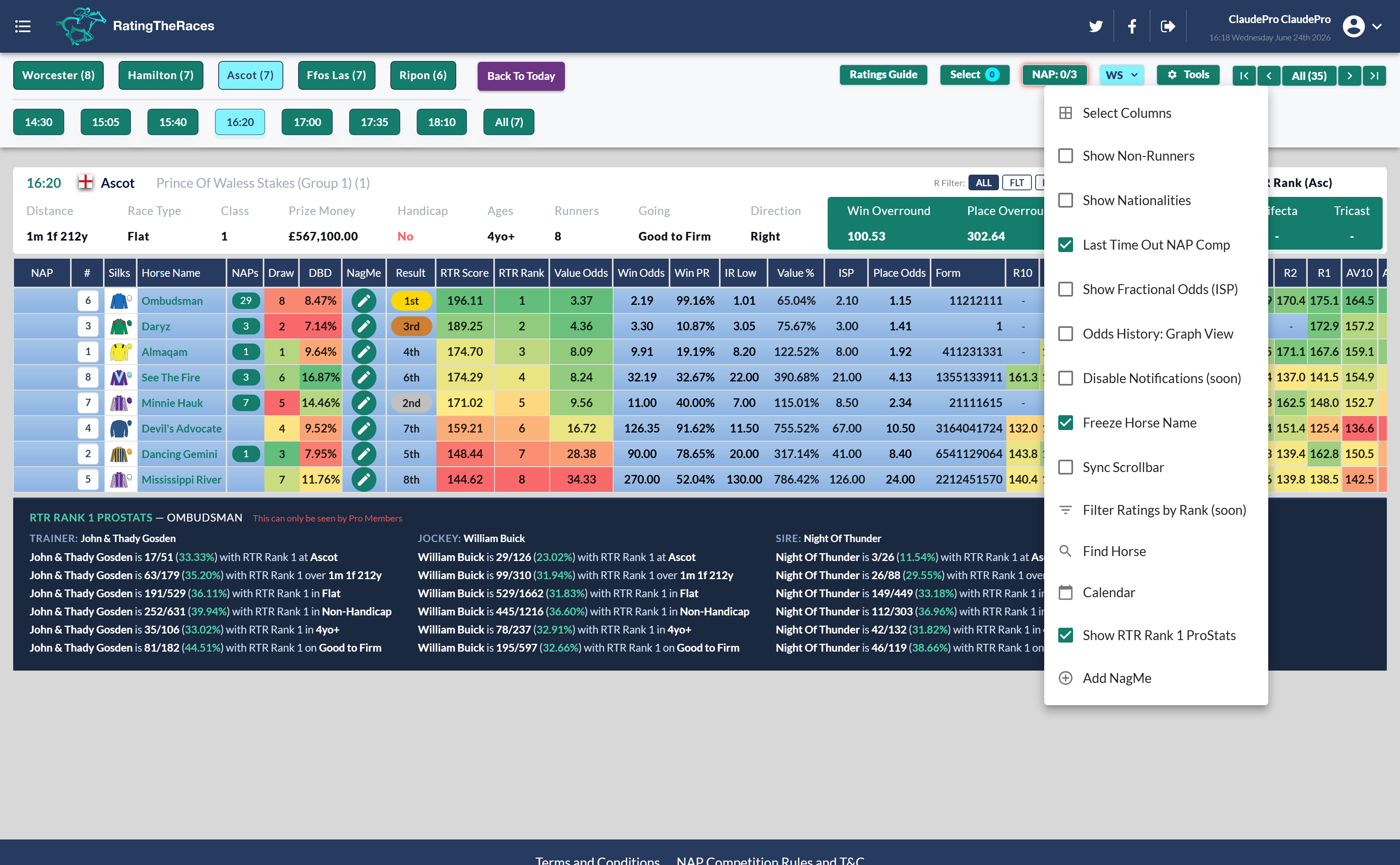
- Click Tools in the top right of the ratings.
-
Click Select Columns to open the column picker.
-
Tick the columns you want to see and untick the ones you don't. You can also use the Basic, Punter or Professional presets, or Show All / Show None to start from one end.
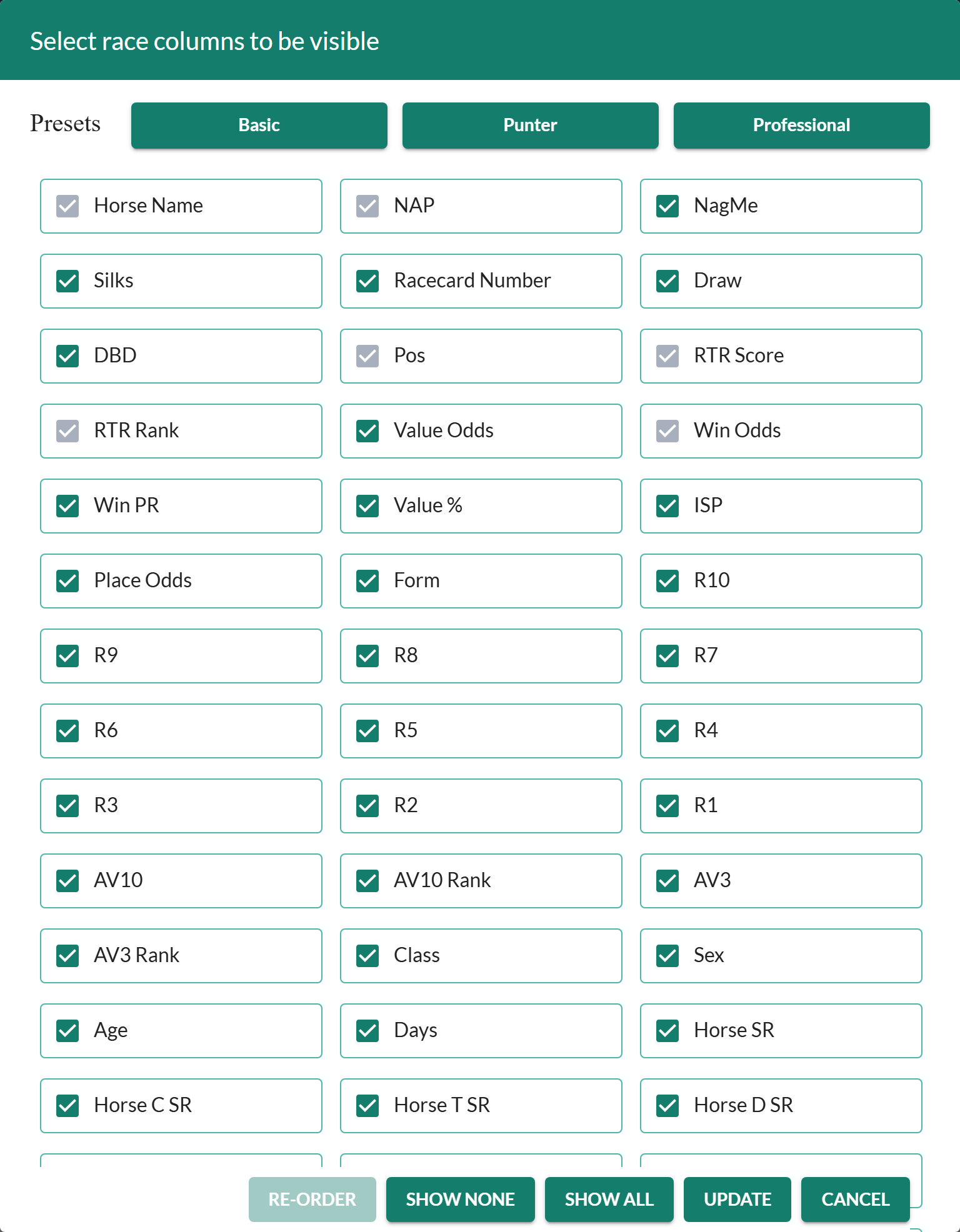
- Click Update to save your view.
Your column choice is saved to your account, so the ratings open the same way every time until you change it again.
Decide what to keep
Not sure which columns are worth keeping on screen? The ratings columns reference explains every one, so you can hide the stats you never use and keep the ones you read most. Once you've trimmed the view, sort by any remaining column to rank the field. Trimming the grid also helps on slower devices, see The ratings won't load or display correctly if loading is sluggish.
Was this article helpful?